From campaign to virtual eyewear try-on

An eyewear campaign can be consistent in its imagery and still lose continuity on the product. The ad shows a frame in a specific colour; the catalogue opens the whole collection; the Virtual Try-On starts from a default variant; the link to the online shop requires colour and lens width to be chosen again. Each component can work correctly on its own, yet the journey forces the visitor to rebuild the same decision several times.
The problem arises when the campaign passes through systems with different responsibilities: the advertising content, the digital catalogue, the try-on engine and the channel that handles the purchase or the relationship with the optician. Connecting them means deciding which information must stay consistent and which can change according to audience, market and timing.
This distinction also affects how results are read. A visitor may see the right product and be unable to start the camera; may try it on and then land on a different variant in the shop; may choose a physical shop and leave no conversion in the online shop. A count of try-ons, taken in isolation, cannot tell these situations apart.
The variant is the unit of continuity in the journey
In eyewear, the model name rarely describes on its own what a campaign is offering. Front colour, temple finish, lens width and lens variant can change both the visual representation and the item that can be bought.
The link between content and catalogue must therefore reach the level of detail that the campaign’s promise requires. If the visual shows a specific combination, the journey must make it possible to find that combination again; if it presents a product family, it can open a broader selection. Both are legitimate editorial choices, with different routing requirements.
When the visitor changes variant during the try-on, a new selection is made. The next step must be able to keep it, or say clearly that it will have to be chosen again. Opening the right product page without keeping the colour is only partial continuity, especially when the variants come with different availability or conditions.
In operational terms, this requires a verifiable match between the reference used in the campaign, the catalogue variant, the asset shown and the identifier used by the sales system. The codes can differ from one system to another: what matters is that the relationship is defined and maintained when the range and the product records change.
This leads to an important distinction. Validating the asset confirms that the representation matches the product; whether it is fit for the campaign also depends on whether that product can be distributed in the intended market and channel. A correct 3D model may represent a variant that is not in the range, for example a colour not distributed in the campaign’s country. Visual quality and commercial consistency need separate checks.
The range depends on market and channel
The same collection may need different selections for a consumer launch, a presentation to buyers and a campaign aimed at one country. The relevant models change, and so do the language, the information to show and the commercial follow-up.
For a multi-brand group, duplicating all the information for every initiative creates a maintenance problem. A correction to the lens or the measurements may reach some experiences and leave others behind. A shared product base, by contrast, makes it possible to build different selections while keeping a common reference for variants and approved assets.
This means separating responsibilities. The product data describes the frame; the campaign selection decides which variants to present; the journey configuration sets how to show them and where to send the visitor next. Changing the order of products for a campaign should not require recreating their product records.
The Safilo case study offers a concrete example of this set-up. In the Tommy Hilfiger Eyewear Gateway, dedicated entry points serve the US market, the Roadtour, selections tied to advertising and a campaign for Central and Eastern Europe. Each entry point limits navigation to the catalogues and pages assigned to it.1 What matters is being able to vary not just the images and copy but also what the link can reach.
A navigation filter and an access restriction, however, do different jobs. The first helps select products; the second determines which content can be reached. For confidential previews or materials meant for partners, authorisation must also be designed explicitly: a link that is hard to find is not the same as protected access.
The entry point often outlives the campaign
A digital ad can be replaced quickly. A QR code on a glasses case, a display or a printed page can stay in use after the initiative it was created for has ended. The address that has been distributed and the page it opens therefore have different life cycles.
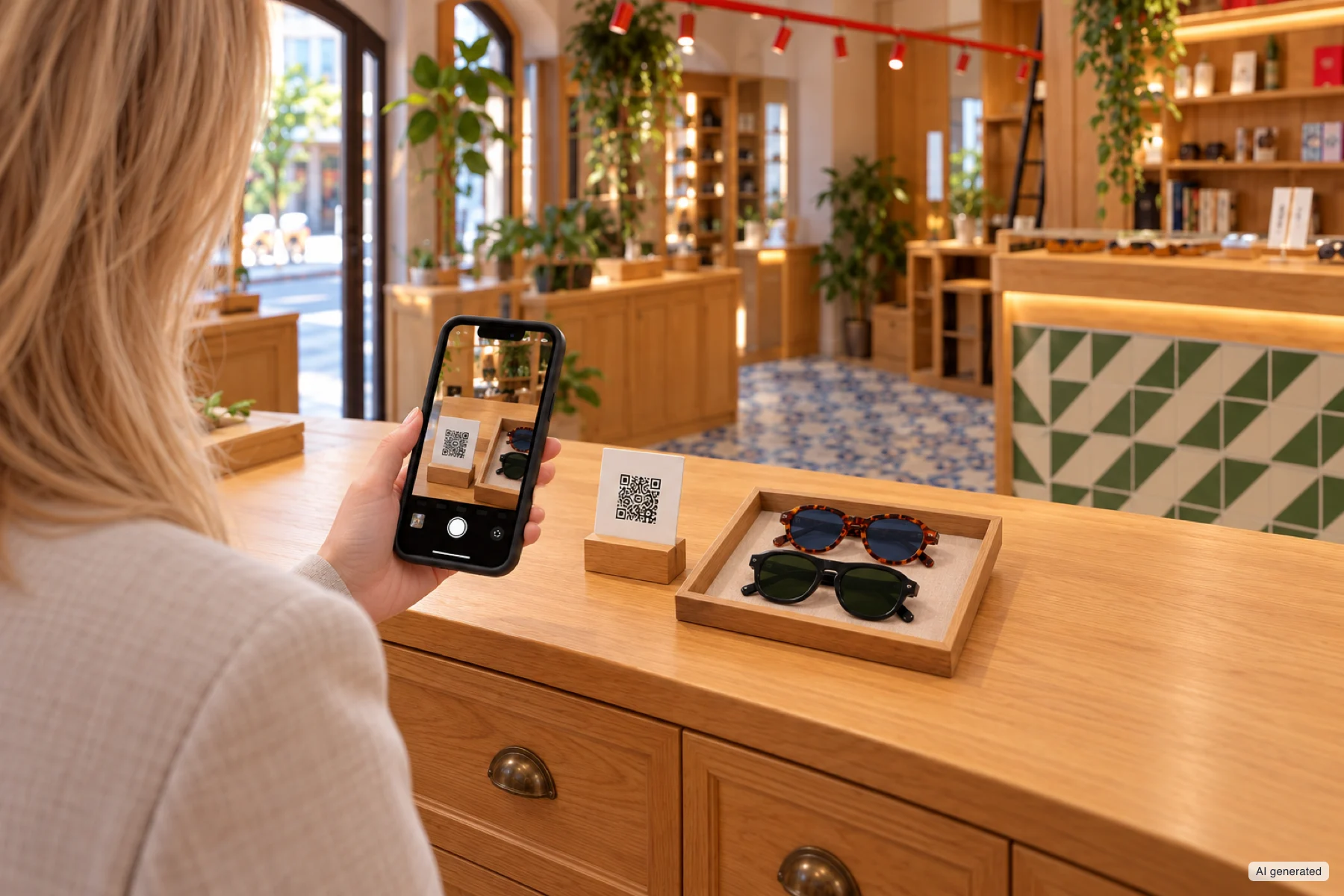
The printed QR code stays in use after the campaign: the page it opens must be able to change without changing the code.
The distinction between a persistent identifier and the location of information is also formalised in the GS1 Digital Link guide: the product reference has its own management cycle, while the information online can be updated or moved through a redirect.2 For campaigns, the useful principle is to keep control over where the entry points already in circulation lead.
Persistence still calls for an editorial policy. When the initiative expires, the link can open the collection archive, a later selection or a page explaining that the initiative has ended. The choice depends on what remains visible on the original medium. A QR code next to a photograph of a specific model should not open a different collection without making the change understandable.
To read results over time, you also need to know when the landing page changed and which range was published. A stable URL does not guarantee comparable data: different experiences may have sat behind the same entry point.
The distinction between a campaign catalogue and a system that coordinates several journeys also stems from this need. The number of pages matters less than the work needed to keep entry points, selections and updates consistent across overlapping initiatives.
The try-on must be placed within the product decision
Opening the Virtual Try-On directly can be appropriate when the campaign has already identified the frame and the call to action is explicit. For a visitor who is still finding their way among shapes and models, a selection they can explore can first provide the context they need.
The choice depends on the uncertainty you want to help resolve. The customer may be looking for a construction detail, comparing two colours or judging how the front relates to the face. These tasks call for different information and interactions; the journey must make it possible to move between them without losing the chosen product.
Research by Hilken and colleagues on the potential of AR in service experiences offers a useful explanation: being able to control the representation and place it in one’s own surroundings contributes to perceived spatial presence and to the value of the experience. In the study on eyewear, this presence is associated with greater decision comfort, an effect attenuated by concerns about privacy practices.3 The finding concerns the evaluation process; it does not establish a universal increase in sales.
Evidence of a different kind comes from the field. Tan, Chandukala and Reddy analysed data from an international cosmetics retailer: AR use in the app is associated with higher sales, more markedly for less popular and more expensive products and for customers new to the channel or the category. The authors explain this through reduced uncertainty about the product.4 For eyewear, this reading is consistent with the previous point: the try-on pays off where there is an open question to settle, not where the choice has already been made.
For campaign design, the consequence is to choose the interaction according to the visitor’s question. A 3D view may be enough to examine a hinge; the on-face try-on adds information about perceived proportions. Both must stay linked to the measurements and to the commercial variant, so that the exploration refers to the advertised product.
Loading must be measured up to a usable try-on
A visible page and a ready try-on are two different states. After landing, the try-on may still need the assets to load, tracking to initialise, camera permission to be granted and a face that can be detected. Measuring page load alone leaves out a decisive part of the journey.
General responsiveness metrics also have a precise scope. INP, for example, measures the time until the next visual response to an interaction, not the completion of all the asynchronous operations it triggers.5 A button can respond at once while the model or the try-on engine is still loading.
Assessing the service therefore takes specific timings and outcomes: from the call to action to the start request, from the start to an available camera, and from the camera to the first representation that is actually usable. It is important to tell apart a user giving up, a camera that has not been authorised, an unsupported device and a loading error. Each of these situations calls for a different fix.
The context in which the try-on opens must be tested on the real channel. A try-on opened from a social media link may end up in an in-app browser; one hosted on a page may depend on the permissions granted to embedded content. MDN documents that camera access requires a secure context and the user’s permission, and that in iframes it also depends on delegation under the Permissions Policy.6 In in-app browsers, camera availability also depends on the operating system and the host app: on iOS, Apple has exposed it to web views since version 14.3, and only when the app containing them is itself allowed to capture video.7 Testing in a browser opened directly does not automatically cover every entry point of the campaign.
There is also a trade-off in loading. Preloading assets can reduce the wait after the click, but it transfers data that part of the audience will not use. Loading everything on demand keeps the landing page light and concentrates the wait at the start of the try-on. The choice should be weighed against the time to a useful experience, the audience’s devices and the number of products people are expected to explore. Anyone who does not start the camera must still be able to browse the catalogue.
The denominator determines what the result means
In a campaign report, ‘try-on rate’ can mean very different ratios: sessions that request a start out of all sessions that land, sessions with a usable try-on out of those that request one, or sessions with a recorded interaction out of those that have already entered the Virtual Try-On (VTO) engine. These measures answer different questions.
Take a hypothetical example, with the same observation window and the same counting criteria. Each row represents sessions, not repeated events, and the groups in each row are contained in those of the rows above.
| Observed stage | Campaign A | Campaign B |
|---|---|---|
| Sessions on the landing page | 1,000 | 800 |
| Sessions that request a try-on start | 600 | 200 |
| Sessions that reach a first usable try-on | 300 | 140 |
| Usable try-on among sessions that request it | 50% | 70% |
| Usable try-on out of all sessions that land | 30% | 17.5% |
Campaign B performs better after the start request, but a smaller share of the audience that landed reaches the try-on. The first ratio, among sessions that request a try-on, needs to be broken down into users giving up, permissions, face detection and technical errors; the second, out of all sessions that land, also reflects how visible the call to action is, the audience’s intent and the journey that came before. Neither is enough on its own to say which campaign generated more commercial value.
The coverage of the analytics tools decides which ratios can be calculated. If data collection starts only inside the immersive experience, the sessions that landed but never opened it are missing. In ARShades, for example, the analytics for Campaign Catalogues describe the VTO and 3D experiences started from the catalogue; the catalogue page itself is not measured by that system.8 The denominator ‘sessions on the landing page’ therefore needs additional measurement. The Gateway, by contrast, collects data that covers pages and actions along its journeys.9
Comparisons between frames also require attention to exposure: a variant shown first may get more try-ons because more people come across it. To infer a preference, you would also need to know how many opportunities there were to see it and the conditions under which it was presented. Where this data is missing, the number of try-ons tells you about usage, not preference.
To interpret differences between campaigns, it also helps to look at the breakdown by entry point and device, where that data is available and sufficient. A campaign reached through a newsletter and one opened from a QR code at a trade fair may involve audiences with different intentions. The difference in rates does not automatically isolate the quality of the catalogue.
The handover to the sales channel completes the project
A click through to a shop records an exit from the catalogue. Knowing whether that person bought anything takes data and connections in the system that records the order. In the same way, opening a store locator does not prove a visit to a shop, nor does it confirm that the chosen variant is available at that point of sale. The Gateway, for example, records clicks to the shop and to the store locator among its measured actions;9 what happens next is visible only in the channel’s own systems.
Silhouette describes the link between virtual try-on, the Buy Local initiative and advice from local opticians.10 This makes explicit a commercial journey that matters to a brand sold through retailers: evaluation can start online and continue through the professional network. To make it work, the project must establish what information travels with the handover and which checks fall to the point of sale.
In the e-commerce channel, the check concerns first of all where the selected variant lands and its commercial status. In the optician channel, it may concern the frame reference, the shop’s contact details and any enquiry. The integration must be sized to the result you intend to offer: showing the sales network, forwarding an enquiry and checking stock are different capabilities.
Seen this way, the quality of a campaign with virtual try-on is judged on the consistency of the whole chain. The advertised product must remain recognisable across the systems that present it; the journey must respect market and channel; the try-on must be usable in the intended access contexts; the report must make clear which steps it observes. It is this set-up that allows assets and infrastructure to be reused in later campaigns, while keeping the ability to understand what was shown, tried on and handed over to the sales channel.
Sources
-
Safilo and ARShades, An ecosystem for every eyewear experience, Tommy Hilfiger Eyewear Gateway section. ↩
-
GS1, Quick start guide for GS1 Digital Link, 2024, section 5 on separating the persistent identifier from the location of the information. ↩
-
Hilken, T., de Ruyter, K., Chylinski, M., Mahr, D. and Keeling, D. I. (2017), Augmenting the eye of the beholder, Journal of the Academy of Marketing Science, 45, 884–905; in particular studies 1 and 4, conducted with the sunglasses virtual mirror of a European online retailer; outcomes are measured as intentions, not purchases. ↩
-
Tan, Y.-C., Chandukala, S. R. and Reddy, S. K. (2022), Augmented Reality in Retail and Its Impact on Sales, Journal of Marketing, 86(1), 48–66. ↩
-
web.dev, Interaction to Next Paint, definition and scope of the metric. ↩
-
MDN Web Docs, MediaDevices getUserMedia, Privacy and security and Permissions Policy sections. ↩
-
WebKit, MediaRecorder API, December 2020, section on getUserMedia in iOS 14.3 web views. ↩
-
Silhouette International, Silhouette goes digital, undated company page. ↩
Share
Send this article to a colleague or save the link.
Related insights
View all articlesFrom Feature to Infrastructure: Rethinking AR for Digital Eyewear
What begins as a virtual try-on project can become a reusable way to create, present and manage an eyewear collection.
6 min read
Adoption and resultsDesigning a Virtual Try-On pilot that supports a decision
Test scope, quality criteria, audience assignment and uncertainty in the results. How to build evidence that helps you decide whether, and on what terms, to extend Virtual Try-On.
8 min read