No app
Opens in the browser visitors already use.
Ready in 5 languages
English, Italian, German, French, Spanish.
Unlimited catalogues
You create and publish them in Studio.
Variant-level analytics
Sessions, pages, actions, products.
Stop building a new silo for every campaign
A collection, an event, a market and an end-of-season sale each speak to a different audience and live on different media: the shop window, the event badge, the newsletter, the press ad, the packaging.
Give each one its own landing page and the URL, the tools and the metrics change every time. By the end of the year you have silos that don't talk to each other: no two experiences look alike, the figures can't be combined, and the codes printed for February's campaign lead nowhere by March.
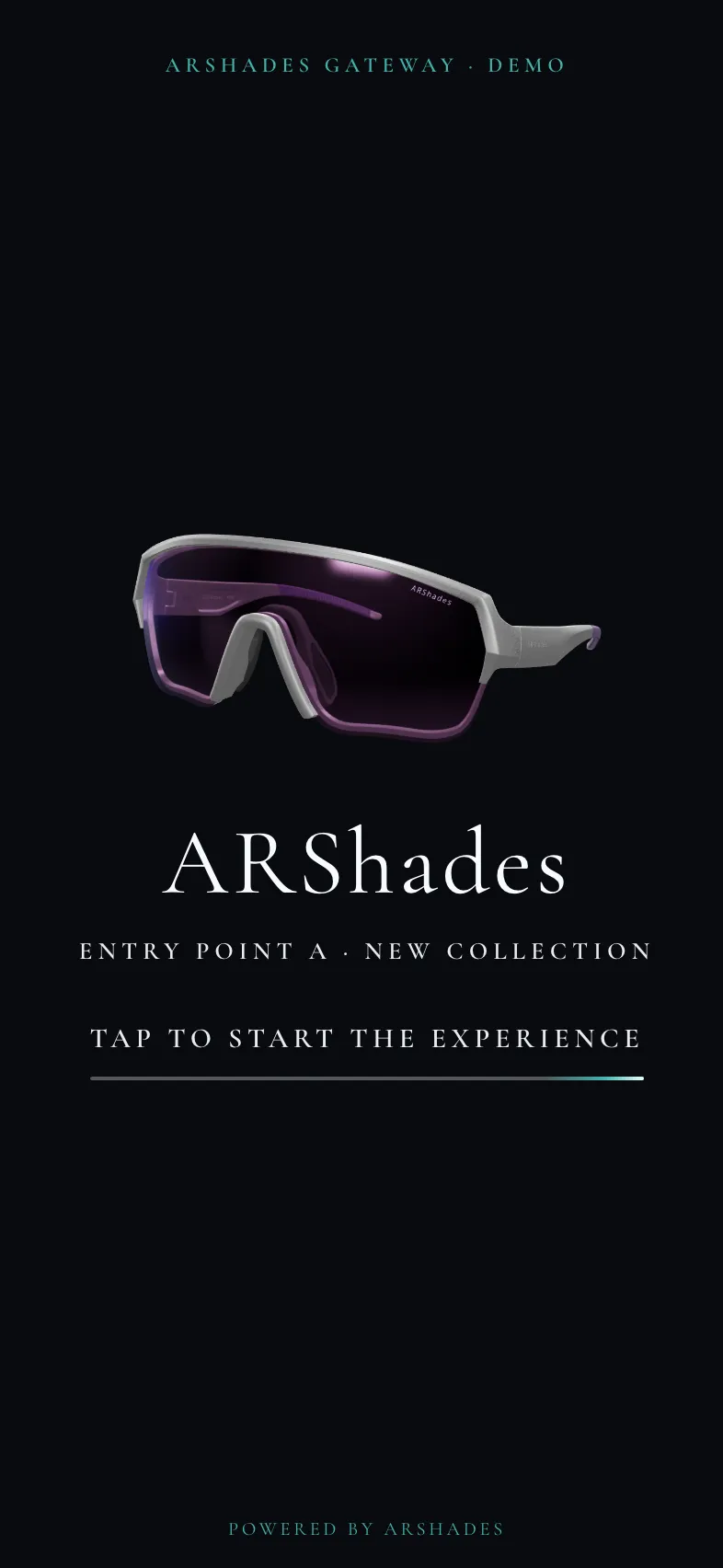
There is one Gateway, and as many entry points as you need: a QR code in the shop window, a newsletter link, a trade-fair badge, social media, packaging, or direct access to the try-on. Each one can lead to a different catalogue, or to the same catalogue with a journey of its own.
Print the QR code once. Change the campaign as often as you need.
One Gateway, many entry points
Your campaigns no longer need a landing page of their own: the Gateway is already there. Open as many entry points as you like, with as many catalogues behind them. Every printed code stays valid, and the figures from all your entry points are combined.
Campaigns in parallel
Launches and capsule collections side by side, each with its own audience. Once an entry point is live and the frames are already modelled in 3D, opening another is a marketing decision, not a budget you have to defend.
Markets, channels, audiences
Range, language and story adapt to each country, channel or audience, with product data kept in one place.
Events and activations
Catalogue, programme and AR try-on on every attendee's phone. The QR code printed on the badge stays valid even if the programme changes.
Always-on showcase
A permanent address for the full collection, the brand story and the try-on, linked from your website, social media, email and packaging.
Four campaigns, one Gateway
From first tap to the right frame, without leaving the Gateway
The Gateway does more than display a catalogue: it guides visitors from discovering the brand to trying on the product.
Each catalogue switches on only the sections it needs: a launch might show the story and the try-on, while a retail catalogue adds the store network.
You update the collection. We look after the experience
Whatever changes behind the entry points, the links and QR codes already in circulation keep working.
You, in ARShades Studio
You create every catalogue you need, manage products, variants and display order, publish updates, review the analytics and export reports.
ARShades, on request
We configure templates, appearance and copy, build the guided discovery from the ready-made steps, connect new catalogues and entry points, activate modules and deliver bespoke projects.
Beyond traffic: what your visitors really care about
ARShades Studio brings together sessions, pages and actions from every catalogue in your Gateway. Compare campaigns and periods, see which frames are viewed or tried on most, and drill down to the individual variant.
- Visitors
- Sessions
- Time spent
- Pages
- Actions
- Products and variants
- Devices
- Countries and cities
- Excel export
Privacy and GDPR*: the try-on stays on the device
No downloads, no login. Camera images of the visitor's face, and any photos, are processed on their device and never reach our servers. Consent settings and your privacy documents remain accessible throughout the experience, and precise location is used only with explicit consent.
- On-device processing
- Consent settings at any time
- Location only with consent
- No login
* Designed to comply with key national data protection regulations, including UK GDPR, CCPA/CPRA, APPI and LGPD.
Start fully equipped. Add what you need
Standard gives you the multi-catalogue system. Advanced includes every module.
Gateway Standard
No set-up feeMulti-catalogue foundation
- White-label experience on a dedicated ARShades subdomain
- Fully responsive template with basic customisation
- Unlimited catalogues for your campaigns, created and published in Studio
- Configurable guided discovery with ready-made steps
- Brand page + 1 additional editorial page
- Ready in 5 languages, plus full Gateway Analytics
Add individual modules as you need them.
Gateway Advanced
Every module included
Everything in Standard, plus:
- Store locator
- Store page
- Lead generation
- Online shop link
- Twice-yearly content updates
Standard and Advanced are available as a standalone subscription or as a module within an Enterprise subscription. Editorial pages beyond the one included can be added individually. Content production and catalogue preparation requested from ARShades are quoted separately.
Need more than the template?
- Guided discovery beyond the ready-made steps
- Non-standard templates, UI and pages
- Dedicated AR experiences for events and campaigns
- Bespoke integrations and development
Let's design it together
Tell us about your projectChoose the right scale
Running just one campaign?
When a single public catalogue is enough, a Campaign Catalogue puts your products, AR try-on and analytics online, without the Gateway's multi-campaign structure.
Bring us your next campaign. We'll design every entry point to come
We start with your audience, channels, frames and the action you want visitors to take, and show you how they become a working Gateway.
Frequently asked questions
It is the white-label public experience that brings together a brand's multiple catalogues and journeys. A single Gateway can have many links and QR codes, each leading to the right campaign, market, audience or experience. It is designed for eyewear brands and groups that run several initiatives from one shared system.
Yes. You can start with an always-on showcase or a first campaign, then add entry points and catalogues as new opportunities arise. If you already know you will only ever need one catalogue, we'll work out with you whether a Campaign Catalogue is the right scale.
No. Products, catalogues, content and journeys can all change, while the links and QR codes already in circulation keep working.
In Studio you create and update catalogues, products, variants and display order, handle publishing and review the analytics. ARShades manages the Gateway's appearance and configuration, and activates new modules or projects on request.
Both include unlimited self-service catalogues for your campaigns, a customisable template, guided discovery with ready-made steps, 5 languages and full analytics. Advanced adds the store locator, store page, lead generation, online shop link and twice-yearly content updates.
Within your chosen template you set colours, backgrounds, fonts, some labels, which sections are shown, the grid type, the filters on offer and how the guided discovery is built from the ready-made steps. Journeys, pages, UI, integrations or AR experiences outside that scope are a separate project, priced on request.
Your logo, colour palette, licensed fonts, images or video, copy in each language you want to publish, and catalogues whose products have validated 3D models. The store locator and some guided-discovery steps also need shop details or specific product attributes.
Product cards can show price and discount where you need them — for an end-of-season sale or a promotion. Purchases happen in your online shop: where the online shop link module is active, the Gateway sends visitors there.
The Gateway opens in an up-to-date browser, with no app and no login. The try-on needs a camera, WebGL and the visitor's permission. Camera images of the visitor's face, and any photos, are processed on their device and never reach our servers; precise location is used only with explicit consent.
ARShades ecosystem
Connected capabilities within the same infrastructure
Virtual Try-On
Interactive try-on managed in Studio
3D Viewer
Interactive digital views of your eyewear
Campaign Catalogues
Campaign-ready catalogues with AR assets
VTO Explorer
Guided multi-frame try-on exploration
AR PD Meter
AR-based pupillary distance measurement
AI Photoshoots
AI-generated on-model photos of your eyewear
Digital 3D Assets
Validated 3D models for the whole infrastructure
Digital Mirrors
Your catalogue to try on in shops, in showrooms and at events
ARShades Studio
One platform for catalogue, 3D models and images